No-Code vs AI-Generated Software: The Demo-to-Paid Gap
Orkosi Team · · 11 min read

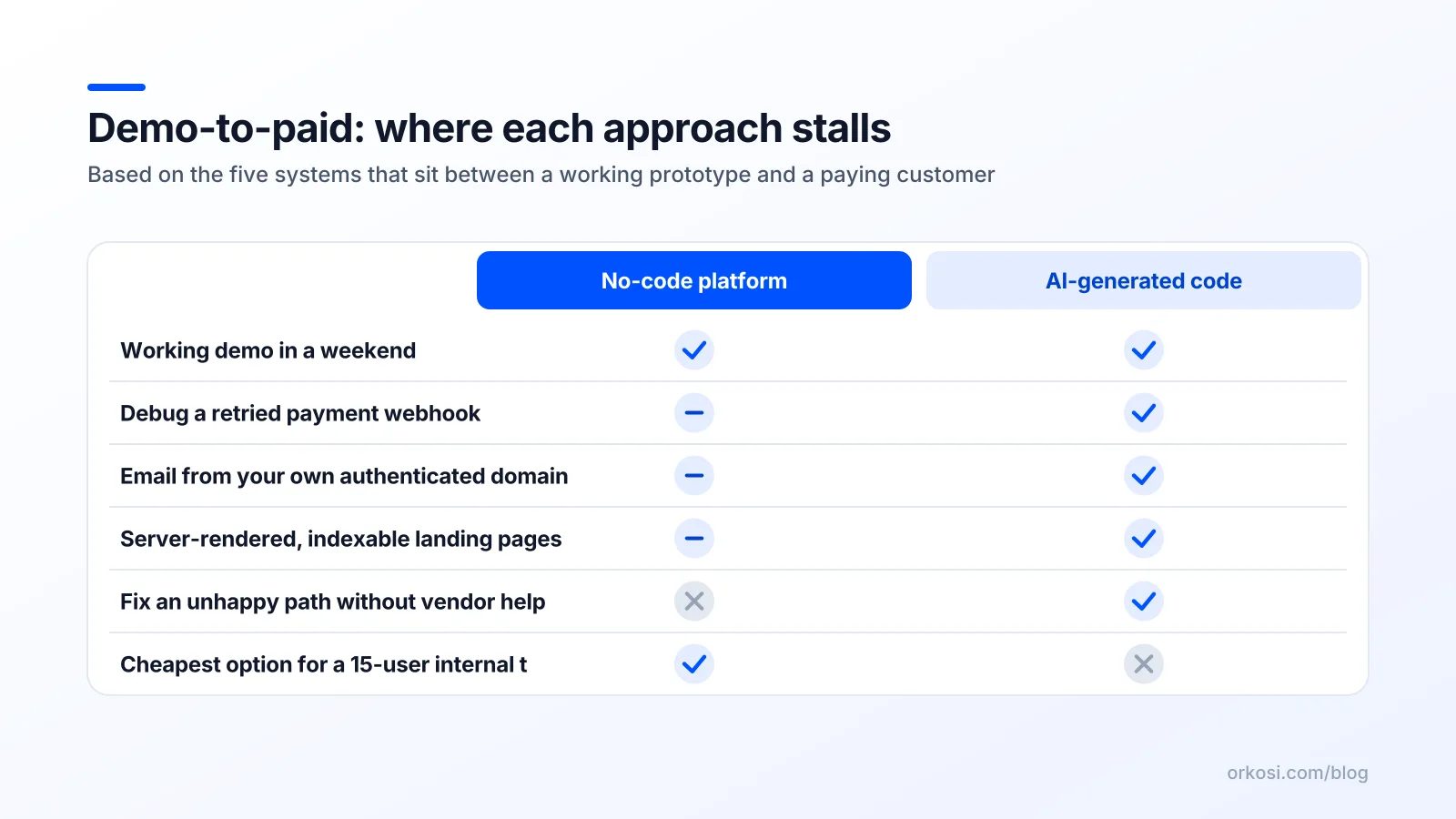
The honest answer to no-code vs AI-generated software is that the two approaches lose at different points on the same timeline. A modern no-code builder will get you to a demo faster than almost anything else. Generated code tends to win the stretch that actually matters: the fortnight between a working demo and a card being charged for the first time. That stretch is where most launches quietly die, and it is almost entirely made of integrations, not interfaces.

Definitions first: what each approach actually produces
Strip away the marketing and each approach hands you a different kind of object. That object determines what you can fix at 11pm the night before launch.
No-code: configuration inside someone else's runtime
A no-code platform gives you a configuration: records describing screens, data tables, workflows and integrations, interpreted at request time by a runtime the vendor controls. You are authoring data that the vendor's engine reads. You cannot read the engine, patch it, or run it somewhere else. That is not a criticism, it is the deal: you trade access to the machinery for not having to maintain it.
AI-generated software: source code you own, running on your infrastructure
AI-generated software gives you a repository: actual files, in a real language and framework, deployed to infrastructure in your name. An agent writes and iterates on those files, but the output is the same kind of artefact a contract development team would hand over. Platforms like Orkosi sit here, generating the code and deploying it to AWS, alongside hosting, billing and SEO tooling.
One structural difference drives everything that follows: a configuration can only express what the vendor anticipated, while a repository can express anything, at the cost of you owning the consequences.
Why both tools win the weekend, and why that proves nothing
Give either approach a Saturday and you will have something that looks like a product: a login screen, a dashboard, a list view, a create form and a reasonable landing page. Judging the two on time to demo is like judging two cars on how they look in the showroom.
A demo needs remarkably little:
- One happy path, rehearsed
- Seed data that is already clean
- One user, one browser, one tab
- No money, no email, no search traffic
- A presenter who knows which buttons not to press
A paying customer needs a different list entirely: a card charge that reconciles, a receipt that reaches an inbox, a page Google can index, a refund that does not corrupt the record, and a guarantee that customer two cannot read customer one's data. None of those show up in a demo. All of them show up on day one of revenue. "Time to demo" is the most misleading metric in this category because it measures the only phase where both tools are good.
The five systems that sit in the demo-to-paid gap
These five systems are where no-code limitations stop being theoretical, and they are the reason a working prototype is not a product.
Payments: webhooks, retries and idempotency
Taking a card is the easy part. Reacting to what happens after the card is the hard part. Stripe delivers events to your webhook endpoint asynchronously, retries failed deliveries, and explicitly warns that your endpoint may receive the same event more than once, so handlers must be idempotent and tolerate out-of-order arrival.
That requirement has consequences. You need somewhere to store processed event IDs, somewhere to log a raw payload you can replay, and a way to make outbound calls safely, which Stripe handles with idempotency keys on the API side. In generated code these are three small, boring files. In a closed runtime, the same thing is a visual trigger block: it works when it works, and when it does not you are reading a vendor's truncated execution log, with no ability to replay the event, inspect the exact body, or add a deduplication table.
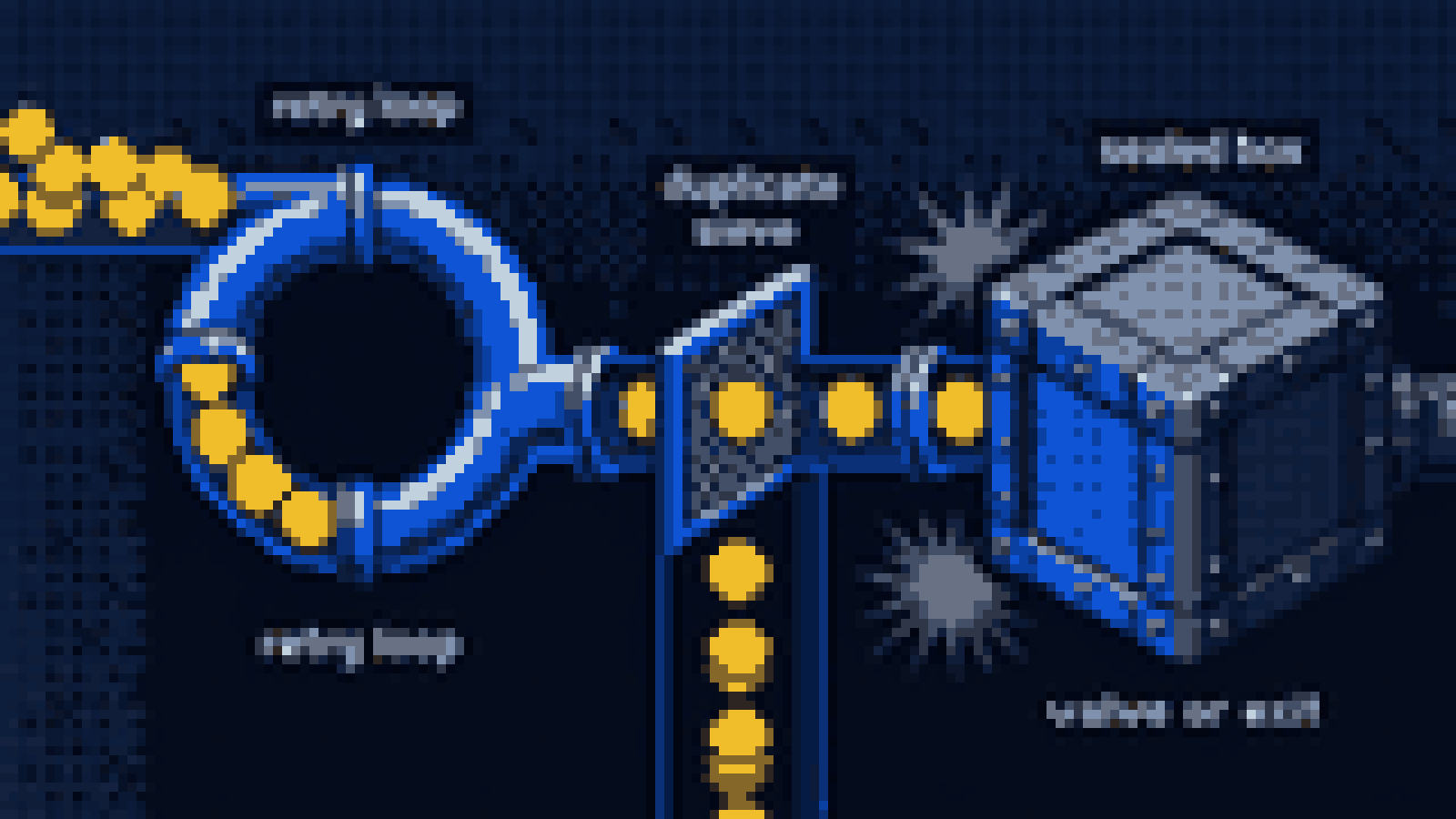
The failure mode is specific and expensive: a subscription cancelled in Stripe but still active in your app, or a customer charged once and provisioned twice. Both come from a handler that was not idempotent, and neither is fixable from an editor that has no file for it.
Transactional email: SPF, DKIM, DMARC and the spam folder
Receipts, password resets and invitations are not marketing. If they land in spam, your support load is 100% of your customer base. Google's email sender guidelines require SPF or DKIM authentication for all senders, valid forward and reverse DNS, and for bulk senders at 5,000 messages a day or more, both SPF and DKIM plus a published DMARC policy.
Those are DNS-level facts about a sending domain you control. Many no-code platforms send transactional mail from a shared domain by default, which pools your deliverability reputation with every other tenant and makes your receipts arrive as noreply@mail.somevendor.io. Some let you verify a custom domain; plenty do not let you set the return-path, tune DKIM key rotation, or see bounce webhooks. In generated code, email is a provider SDK, a set of DNS records you add once, and a bounce handler. It is an afternoon, not a feature request.
Marketing pages Google can actually index
Your first paying customers have to find you. Google can crawl JavaScript, but its own JavaScript SEO documentation describes a three-stage crawl, render and index pipeline, where rendering is queued and dependent on your scripts executing correctly. Client-rendered pages add a failure surface that server-rendered HTML does not have.
Add measurable performance expectations on top. Google publishes Core Web Vitals thresholds of 2.5 seconds for Largest Contentful Paint, 200 milliseconds for Interaction to Next Paint and 0.1 for Cumulative Layout Shift, assessed at the 75th percentile of real visits. Hitting those requires control over the rendered output: critical CSS, image formats, font loading, what ships in the first payload. A visual editor gives you control over the design, not over the document. If launch traffic depends on search, that gap is the whole business.
Unhappy paths: refunds, failed cards, duplicate submissions
Demos only travel the happy path. Revenue travels every other path. A declined card mid-subscription, a double-clicked submit button that creates two orders, a refund that must reverse entitlements without deleting the audit trail: each is a small state machine with compensating actions.
No-code workflow builders model sequences well and state transitions poorly. There is often no natural place to put "retry this step three times with backoff, then flag for manual review", because retry logic lives inside the runtime you cannot reach. In code, that is a queue, a retry policy and a status column.
Auth, roles and "can customer two see customer one's data?"
This is the question that ends pilots. Multi-tenant isolation means every query is scoped to a tenant, every file URL is authorised, and every role check happens on the server rather than by hiding a button.
Good no-code platforms do have row-level permission models, and they are genuinely useful. The problem is proving they are correct. You cannot write a test that logs in as tenant B and asserts a 403 against tenant A's record ID if you cannot write tests at all, and an enterprise buyer's security questionnaire will ask for exactly that.
My position: no-code wins to demo, generated code wins to paid
Every blocker above is integration-level, not interface-level. Integration work requires two things a closed runtime cannot give you: a file you can edit and a log you can read.
In a repository, "store processed webhook IDs and skip duplicates" is a twenty-line change. In a closed runtime, the same requirement becomes a support ticket, a community thread, a workaround involving a third-party automation tool, or a wait for a roadmap item. The work does not get harder, it gets unavailable.
Be honest about the cost of being wrong in each direction. Choose no-code and get stuck: you lose two to six weeks rebuilding, plus data migration, plus whatever you promised your first customers. Choose generated code for something trivial and you carry a repository, a deployment and a dependency update cadence you did not need, which for an internal rota tool is genuinely wasteful. One mistake costs a bad quarter; the other costs some unnecessary tidiness.
The honest counter-case: three jobs where no-code still wins
The test is simple. If the software never takes money from strangers, never sends email to inboxes you do not control, and never needs to be found in search, no-code is the cheaper correct answer, and arguing otherwise is engineering vanity.
Internal tools with fewer than ~20 users and no public surface
An ops dashboard, an approvals queue, an inventory adjuster. Your users are colleagues who will tell you in Slack when it breaks, and there is no SEO, no deliverability and no tenant isolation problem. Build it in an afternoon and move on.
Forms, intake and scheduling that feed a tool you already pay for
If the job is "collect structured input and push it into a CRM", no-code is not a compromise, it is the right abstraction. The integration surface is one well-trodden connector, and the hard parts live in the tool you already pay for.
Throwaway validation you intend to delete in 30 days
Fake-door tests, concierge MVPs, a waitlist with a manual back office. Build it, learn, delete it.
The failure is predictable: the thing you meant to delete acquires customers, and nobody deletes it. Six months later your billing logic lives in a workflow canvas nobody understands and the migration is a quarter-long project. Put a deletion date in the calendar on day one and treat crossing it as a decision point, not an accident.
A 10-day demo-to-paid test to run before you commit
Stop reading comparison posts and run the experiment. Build the same slice twice, once in a no-code platform and once with an agent generating code, and watch which one stalls first. Whichever stalls first is your answer, and the test costs less than two weeks of being wrong.
| Days | Task | Pass looks like | Fail looks like |
|---|---|---|---|
| 1-2 | Build the happy path: sign up, create one record, see it in a list | Both tools finish. They will. | Neither, which tells you the scope is wrong |
| 3-4 | Take one real £1 payment and change app state from the webhook, not the redirect | Entitlement flips from the webhook; you can find the event in a log | State only changes on redirect, or the log is a black box |
| 5 | Send the receipt from your own domain | SPF and DKIM pass in the raw headers; DMARC aligned | Mail sent from a shared vendor domain you cannot authenticate |
| 6 | Verify a marketing page is server-rendered and indexable | Content present in view-source; URL passes a live inspection test |
Content only appears after JS executes |
| 7-8 | Force three failures: declined card, double-clicked submit, second tenant reading tenant one's record | One order, one charge, a 403 | Duplicate records, orphaned charges, or data leaking across tenants |
| 9-10 | Price the whole thing at 1,000 users | A number you can live with | A number that scales with seats faster than your revenue |
Day 3-4 and day 7-8 decide it. If you cannot replay a webhook or write an assertion for cross-tenant access, you have found your ceiling, and you have found it for £1 instead of after signing a customer.
What the two paths cost in practice
The cost structures are shaped differently, which makes list-price comparisons close to meaningless. No-code pricing typically scales with seats, records, workflow runs or app count, so your bill grows with success in a way that is not always proportional to revenue. Generated code costs are build effort plus infrastructure, which grows with traffic and with how much you keep changing.
Orkosi charges for the build effort as credits: Starter at $25/month includes 2,000 credits, Pro is $100/month with 6,000 credits, Enterprise is $245/month, and 1 credit equals $0.01. Hosting on AWS is included, as are the brand kit, billing, SEO and marketing tooling, and there is a custom free trial. For anything beyond these figures, check the pricing page rather than trusting an estimate in a blog post.
The useful observation is what credits actually buy: iteration. The demo-to-paid gap is consumed almost entirely by the thirty small tasks between "it works in the demo" and "it survived a declined card on a Sunday". A plan that funds thirty small tasks is more valuable at this stage than one that funds a bigger first build. If you want to see the shape of the output first, the showcase of what you can build and the comparison with other builders are more informative than any feature matrix.
FAQ
Is AI-generated software just no-code with extra steps?
No, and the difference is the artefact. No-code produces a configuration interpreted by a vendor's runtime; AI-generated software produces source code and infrastructure in your name. You describe what you want in plain language in both cases, but only one of them leaves you with a file you can edit and a log you can read when a payment webhook fails.
Can I start in no-code and migrate to generated code later?
Yes, and plenty of good businesses have. Expect to carry data across cleanly and rebuild logic from scratch, because workflow canvases do not export as code. Budget two to six weeks for a real product with payments and auth, and do it before you have a support obligation rather than after.
Which approach gets me to a first paying customer faster?
If "paying" means a real card, a webhook-driven entitlement change and a receipt that reaches the inbox, generated code is usually faster to that milestone even though it is slower to a demo. No-code wins if payments are collected manually or handled by an existing tool you already run. Run the 10-day test above and let your own stack decide.
What if I can't read the code the agent writes?
You do not need to read it to benefit from owning it, but you should be able to see it. The practical requirements are that someone can be hired to read it, that logs and deployments are inspectable, and that the stack is conventional rather than exotic. Orkosi's documentation covers how the generated projects are structured and deployed, which is the right thing to check before you commit.
Pick one template, build the slice that takes a real £1 payment, and see whether it survives a declined card: start free and run the test this week. If the numbers are the deciding factor, the plans and credit maths are on the pricing page.