Launch a SaaS Product Checklist: Prove You Can Get Paid
Orkosi Team · · 13 min read

The hardest part of launching software is not the software. A launch a SaaS product checklist that only covers signup, onboarding and a pricing page will let you ship something that cannot reliably take money. A SaaS is launched when a stranger on another continent can pay, get access automatically, have a failed card retried, and receive a refund, all without you opening a database or a Stripe dashboard. Everything before that is a demo with a buy button.

The launch gate nobody tests: the money path
The money path is the chain of events from "customer clicks subscribe" to "customer has the thing they paid for, and keeps having it until they stop paying." Most pre-launch testing covers the first link and ignores the rest.
The classic failure pattern looks competent from the outside: a polished landing page, a working signup flow, Stripe Checkout wired up, and exactly one successful test purchase made by the founder, with the founder's own card, on the founder's own machine. That single test proves the happy path for one user who already had an account.
It proves nothing about what happens when the webhook arrives twice, when the card expires in month three, when a customer upgrades on day 14 of a 30 day cycle, or when a finance team emails asking for a VAT invoice with a sequential number. Those are not exotic cases. At 50 paying customers you will hit all of them within a quarter.
The position of this article: billing correctness is a launch blocker, and the entitlement layer is where it breaks. Build it as its own set of verifiable tasks, not as an afterthought to the checkout page.
Nine checks before you take a real card
This is the core SaaS billing checklist. Each item has a definition of "pass" and a test that proves it. If you cannot demonstrate all nine in a staging environment, you are not ready to charge.
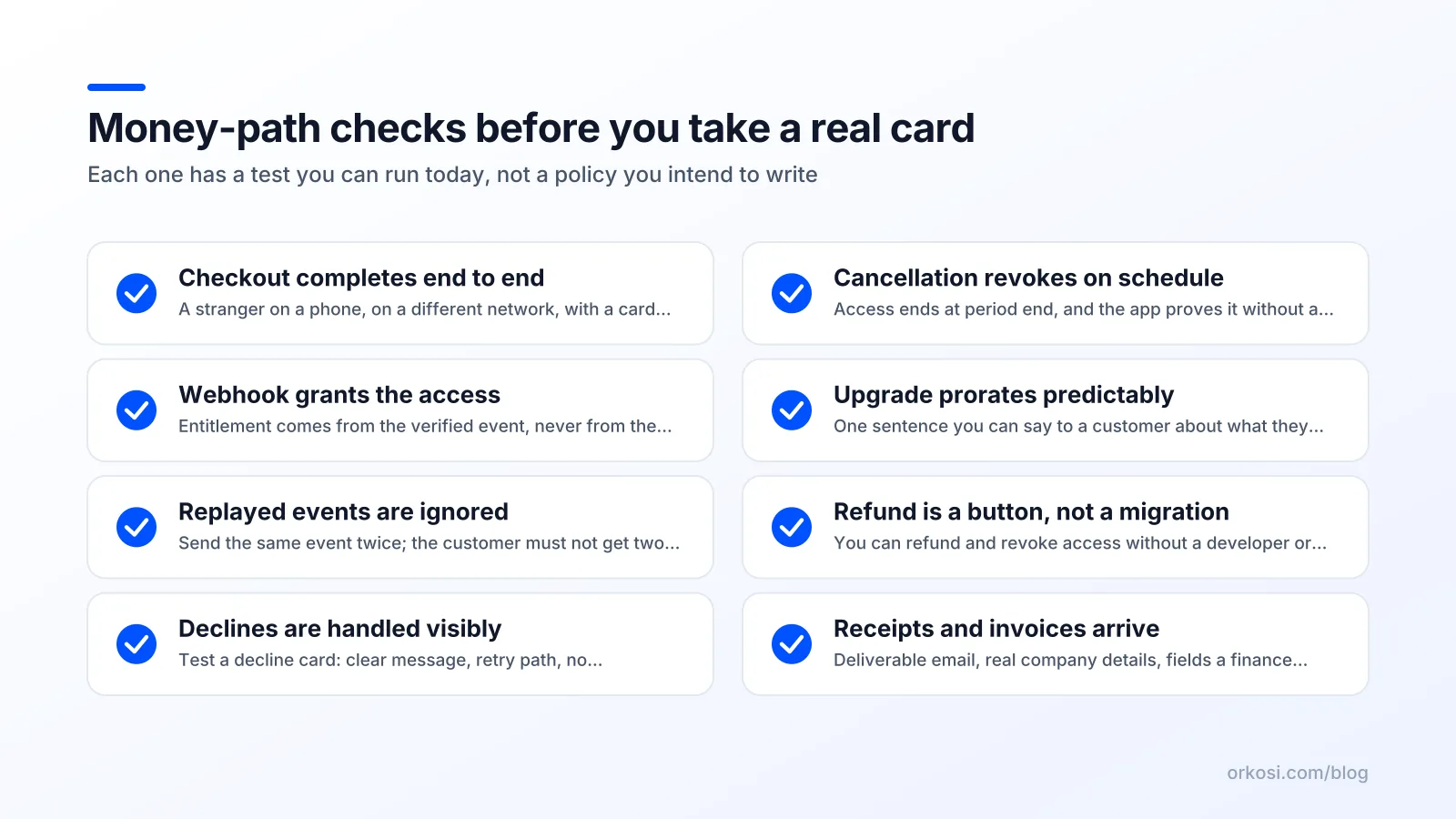
The checks, in order
| # | Check | Pass looks like | Test that proves it |
|---|---|---|---|
| 1 | Checkout completes | A new user with no prior account reaches a paid state | Sign up in an incognito window with a fresh email and a test card |
| 2 | Webhook grants access | Entitlement is written by the server event, not the browser redirect | Complete checkout, then close the tab before redirect; access still granted |
| 3 | Duplicate events are ignored | Replaying the same event ID changes nothing | Resend the event from the Stripe dashboard; confirm one grant, one ledger row |
| 4 | Failed card is handled | Subscription enters a past-due state, customer is notified, access policy applies | Use a declining test card on renewal |
| 5 | Cancellation revokes correctly | Access continues to period end, then stops | Cancel, advance a test clock past the period end, check access |
| 6 | Upgrade prorates | Customer is charged the difference immediately and gets the new tier now | Upgrade mid-cycle, read the resulting invoice line items |
| 7 | Refund path exists | You can refund in full or part and the entitlement follows your policy | Issue a test refund and confirm the downstream state |
| 8 | Tax is collected or consciously deferred | Either tax is calculated at checkout, or you have written down why not yet and the threshold that changes it | Buy from two different countries in test mode |
| 9 | Receipts and invoices are deliverable | Customer receives a document their accountant accepts | Trigger a receipt to a real inbox and check the fields |
Why each one is a blocker
Checks 1 to 3 protect new revenue. If entitlement depends on the success redirect, every customer whose browser crashes, whose phone switches networks, or who closes the tab pays you and gets nothing. You find out through a support email, two days later, from someone who is already annoyed.
Checks 4 to 6 protect existing revenue, which is the revenue you actually have. A subscription business loses money through silence: cards expire, renewals fail, nobody is told, and the customer notices three weeks later when they are already using a competitor.
Checks 7 to 9 protect you. A refund you can only issue by hand becomes a chargeback while you are asleep. An invoice without a company name and tax ID becomes a procurement blocker at the exact moment a business customer was ready to expand.
Webhooks are the product, not the plumbing
For a subscription SaaS, the webhook handler is more important software than the checkout page. Stripe builds and maintains the checkout page. You build the part that decides who has access to what.
Idempotency and replay
Stripe delivers events at least once, which means it may deliver the same event more than once. Your handler must be idempotent: processing evt_123 five times must produce the same state as processing it once.
The practical pattern is a processed-events table keyed on the event ID. Write the ID inside the same transaction that applies the change, and if the insert conflicts, discard the event and return 200. Do not try to detect duplicates by comparing business state; subscription objects change for many reasons and your comparison will be wrong.

Signature verification
An unverified webhook endpoint is a free subscription generator. Anyone who learns the URL can POST a fabricated checkout.session.completed payload and grant themselves a Pro plan.
Verify the signature header against your endpoint secret on every request, using the library function rather than a hand-rolled HMAC comparison. The Stripe webhooks documentation covers signature verification, retry behaviour, and why handlers should return quickly and do work asynchronously.
What happens when your app is down for 20 minutes
Nothing, if you built it correctly. Stripe retries failed deliveries over an extended window, so a deploy that takes your API offline for twenty minutes should result in a backlog that drains when you come back up.
This only works if two things are true. First, you return a non-2xx status when you fail, rather than swallowing the exception and returning 200, which tells Stripe to stop retrying a message you never processed. Second, your handler is ordering-tolerant, because retries can arrive out of sequence relative to newer events. Store the event, reconcile against the current subscription object, and let the latest truth win.
Stripe webhook testing deserves a dedicated pre-launch session: trigger each event type with the CLI, replay events from the dashboard, and deliberately break your handler to confirm the retry behaviour. This is the single most common gap in AI-generated billing code, which tends to produce a correct-looking checkout flow with entitlement granted in the redirect handler.
Involuntary churn: the cards that stop working in month three
At small scale, most "churn" is not a decision. It is a card that expired, a bank that declined a cross-border charge, or a customer who got a new card after a fraud alert and forgot which subscriptions used the old one.
Treating these as lost causes is expensive. Stripe's revenue recovery tooling covers retry scheduling and dunning emails, which handle most of this without custom code. What you need to understand is the retry schedule, the email sequence, and what your application does during the gap.
Failed payment dunning has a policy question underneath it that no library answers: how many days of access does a past-due customer get before you downgrade them? Take a position and write it down.
My position: give grace, log it, notify in-app, and never silently hard-lock. A customer whose payment failed should see a persistent in-app banner with a one-click link to update their card, keep working during the retry window, and only lose write access after the retries are exhausted. Read-only access after downgrade beats a login wall, because a login wall deletes the only surface where you can ask them to fix the card.
The trade-off is real: generous grace means some customers consume service they never pay for. At ten customers that is a rounding error. At ten thousand it is a number you tune. Start generous, instrument it, tighten later.
Upgrades, downgrades, trials: the edge cases that become support tickets
Subscription entitlements are a state machine, and founders usually implement two states (free, paid) when they need six: trialing, active, past due, canceled-but-active-until-period-end, canceled, and paused.
Proration you can explain in one sentence
Pick a policy you can state to a customer without opening a spreadsheet. The simplest defensible one: upgrades take effect immediately and you are charged the prorated difference now; downgrades take effect at the end of your current period.
That policy is easy to explain, easy to implement, and slightly unfavourable to you on downgrades, because the customer keeps the higher tier for the rest of the cycle. The alternative, immediate downgrade with a credit, recovers a little revenue and generates refund-shaped support questions forever. Simplicity loses a little revenue; complexity loses weekends.
Trial expiry with no card on file
Decide before launch whether your trial requires a card. If it does not, you need an explicit expiry state: the account stays, the data stays, the features stop, and there is a visible path to add a card.
Trial to paid conversion depends heavily on the final 72 hours. Send a reminder before expiry rather than after, because a notification that arrives once access has stopped reads as a punishment. Keep the data visible and the export available; locking someone out of their own content is how you earn a chargeback on a plan they never bought.
Seat and usage changes mid-cycle
If you sell per seat, adding a seat mid-cycle should charge prorated and grant immediately. Removing a seat should reduce the count at renewal. Anything more clever, like per-day seat credits, is a feature you build after a customer asks twice.
The non-obvious case: what happens when a customer downgrades from 10 seats to 3 while 10 users are active? Either you block the downgrade until they deactivate users, or you accept it and lock the 7 most recently added users. Block-until-resolved is less surprising, and surprise is the thing you are trying to avoid.
Tax, invoices and the refund you can actually issue
None of this is legal advice, and thresholds change. What follows is the shape of the obligations so you know which questions to ask an accountant.
When tax stops being optional
For digital services sold to consumers in the EU, VAT is generally due in the customer's country, and the One Stop Shop scheme exists so you file in one member state rather than twenty-seven. The European Commission's VAT One Stop Shop portal explains registration and reporting.
In the United States, SaaS taxability varies by state and obligations are triggered by economic nexus thresholds based on sales volume or transaction count. The Streamlined Sales Tax remote seller guidance is a reasonable starting point.
The pragmatic launch position: turn on automated tax calculation at checkout if your billing provider offers it, because retrofitting tax onto an existing customer base means either absorbing the cost or raising prices on people who already signed up. If you consciously defer, write down the decision and the threshold that reverses it. SaaS sales tax and VAT handled late is a cash problem, not just paperwork.
What a customer's finance team will ask for
Business customers will ask for an invoice containing their legal company name, their address, their VAT or tax ID, your tax ID, a sequential invoice number, the service period, and the tax treatment. A card receipt that says "Acme SaaS $100" is not an invoice and will be rejected.
Also: publish a refund policy before you take the first payment, and keep your pricing page as plain as the Orkosi pricing page aims to be. A written policy turns a dispute into a conversation. No policy turns a conversation into a chargeback, which costs you the revenue plus a fee plus the hit to your dispute rate.
How to test the money path with AI agents
If you are building with AI agents rather than a billing engineer, the failure mode is a plausible-looking integration that was never adversarially tested. The fix is structural: make billing a series of narrow, verifiable tasks instead of one "add Stripe" request.
One task per edge case
Brief each webhook handler and each state transition as its own task with an explicit acceptance test. For example: "Handle invoice.payment_failed: set subscription to past_due, record the attempt in the billing ledger, surface an in-app banner with an update-card link, and ignore duplicate deliveries of the same event ID."
That phrasing gives an agent a testable definition of done. "Set up subscriptions" does not.
Test clocks, test cards and seeded failures
You do not need to wait a month to verify renewals. Stripe's testing documentation lists cards that decline, cards that require authentication, cards that trigger disputes, and test clocks that advance a subscription in simulated time.
Run the full sequence before launch: subscribe, advance to renewal with a declining card, confirm past-due state and the dunning email, update to a good card, confirm recovery, then cancel and advance past period end to confirm revocation. That hour of work finds more bugs than any amount of code review.
Where Orkosi fits
Orkosi builds and deploys SaaS products from a description and then iterates through tasks, with billing, hosting and the brand kit included, which means the money path is part of the initial build rather than a later integration project. You can file "test the past-due transition with a declining card" as a task and get a verifiable change back.
The honest trade-off: an agent will do what you ask, so the quality of your billing depends on the quality of your edge-case briefs. If you do not ask for idempotency, you may not get it. The showcase covers the template types, the docs cover how tasks are structured, and the comparison page sets Orkosi against other builders. Plans and credits are listed on pricing.
What to skip until customer ten
The counterweight to a long launch a SaaS product checklist is knowing what is not on it. Defer usage-based metering, annual plans, coupon and promotion engines, multi-currency pricing, self-serve seat management, revenue dashboards and audit logging built to SOC 2 standards.
The rule: ship the mechanism that protects revenue you already have; defer the mechanism that chases revenue you do not have yet. Idempotent webhooks protect existing revenue. A coupon engine chases hypothetical revenue from a growth channel you have not built.
A corollary: anything you can do manually for the first ten customers, do manually. Issuing a refund from the Stripe dashboard is fine at customer three. Granting access by hand is not, because that is the mechanism, not the exception.
FAQ
What should be on a launch a SaaS product checklist for billing?
Nine items: checkout completes for a brand new user, the webhook grants access, duplicate events are ignored, failed cards move the subscription to past due with a notification, cancellation revokes at period end, upgrades prorate, a refund path exists, tax is collected or consciously deferred with a written reason, and receipts or invoices reach the customer in a form their accountant accepts. Each one needs a test you have actually run in staging, not a code path you believe exists.
Do I need to charge sales tax or VAT from day one?
It depends on where your customers are and what you sell, and it is a question for an accountant in your jurisdiction. In practice, enabling automated tax calculation at launch is easier than retrofitting it, because adding tax later means either absorbing the cost or raising prices on existing customers. Start with the EU VAT One Stop Shop guidance and the US remote seller resources.
Should I grant access from the checkout redirect or the webhook?
The webhook. The redirect is a browser event that can fail for a dozen reasons unrelated to payment, including a closed tab, a dropped network or an aggressive ad blocker. Use the redirect to show a confirmation screen, and let the verified server-side event write the entitlement, as described in Stripe's webhook documentation.
How long should a failed payment keep access?
Long enough for the retry schedule to finish and for the customer to see at least one notification, which in practice means days rather than hours. Keep the account usable during the retry window with a persistent in-app prompt to update the card, then step down to read-only rather than locking the customer out. Pick a number, write it in your terms, and instrument it so you can tighten the policy once you have data.
Ready to test your own money path? Start free and brief the billing edge cases as individual tasks, then check pricing when you are ready to take a real card.