Custom App for Small Business: Price It in Hours Saved
Orkosi Team · · 12 min read

Most small business software decisions get made on a feeling. A custom app for small business work gets approved because the owner is tired of watching someone retype the same numbers into three systems, and it gets cancelled six months later because nobody can say whether it helped. The fix is not better project management. The fix is to price the app in hours saved per week, by a named person, on a named task, before anyone writes a spec.

The position: if you can't name the hours, don't build the app
A custom app is worth building when you can finish this sentence with real numbers: "This removes N minutes per instance, M times a week, from [person]'s job." If you cannot finish it, you are not ready to build. You are ready to measure.
Why "it'll make us more efficient" is not a reason
Efficiency is a direction, not a quantity. It cannot be compared against a cost, which means it cannot be wrong, which means it cannot be checked. Projects justified on efficiency tend to grow in scope because there is no finish line in the brief.
Vague justification also hides where the time actually goes. Owners routinely guess wrong about which task eats the most hours, usually by a factor of two or three, because the expensive task is the boring one nobody complains about.
The one sentence every custom app should pass
The app must remove at least four hours per week of a specific person's time, or prevent a specific error with a known dollar cost, within 90 days of launch.
Four hours is not a magic number, but it is roughly 10% of one person's week: large enough to be visible, small enough to be achievable in a first build. Data from the U.S. Small Business Administration's Office of Advocacy consistently shows that the overwhelming majority of American employer firms have fewer than 20 employees, and most have fewer than five. When your whole operation is three people, four hours a week is a meaningful fraction of total capacity, not a rounding error.
Step one: log the task for two weeks before you write a spec
Measurement does not require a time-tracking rollout. It requires one sheet of paper taped next to the person doing the work, for ten working days.
What to log (task, person, frequency, minutes, error rate)
Five columns, filled in by hand, by the person doing the task:
- Task name (narrow: "re-enter supplier invoice into accounting," not "accounts payable")
- Who did it
- How long it took, in minutes, this time
- What triggered it
- Whether something had to be corrected afterwards
Two weeks is long enough to catch weekly and fortnightly cycles and short enough that people will actually do it. Say out loud that nobody is being evaluated on speed. If staff think the log is a prelude to cutting headcount, the log will be useless.
Here is a filled sheet for a small installation business with one office administrator:
| Task | Person | Minutes per instance | Instances per week | Minutes per week | Correction rate |
|---|---|---|---|---|---|
| Build quote from site notes and price list | Admin | 9 | 22 | 198 | 1 in 8 |
| Re-key supplier invoices into accounting | Admin | 6 | 40 | 240 | 1 in 12 |
| Chase installer availability by text/call | Admin | 4 | 35 | 140 | 1 in 5 |
| Re-send lost job sheet to crew | Admin | 3 | 9 | 27 | n/a |
| Total | 605 min (10.1 h) |
The tasks that always surprise owners
Re-keying. Data that already exists in one system being typed into another by a human. It feels like two minutes. Logged, it is usually five to eight, because of the lookup, the scroll and the double-check.
Chasing. Asking a person for something you need in order to proceed: availability, approval, a photo, a signature. Each chase is short, but chases arrive dozens of times a week and they fragment attention.
Looking up. Finding the current price, the last order, the warranty date. Short, constant, and invisible until you tally it.
The fourth category, meetings about the first three, is real but harder to attribute, so leave it out of the math and treat it as upside.
Step two: convert hours into money with a loaded hourly rate
Hours only become a budget argument once they carry a dollar figure. The figure most owners use, the hourly wage, understates the true cost by roughly 40% to 50%.
Wages are not the full cost of an hour
Employer Costs for Employee Compensation from the U.S. Bureau of Labor Statistics shows that benefits make up roughly 30% of total employee compensation for civilian workers, with wages and salaries making up the remaining 70%. So total compensation is approximately the wage divided by 0.70.
Then there is the denominator. You pay for 2,080 hours a year, but between holidays, paid leave and sick time, a full-time employee is typically at work closer to 1,800 to 1,900 hours. The cost of a productive hour is total compensation divided by actual working hours, not paid hours.
A worked example, end to end
Check the current median for your occupation and metro area in the BLS Occupational Employment and Wage Statistics tables; for this example, assume $22 per hour for an office and administrative support role.
Wage:                     $22.00/hr × 2,080 hrs   = $45,760
Total compensation:       $45,760 ÷ 0.70          = $65,371
Productive hours/year:    2,080 − 260 (leave)     = 1,820
Loaded cost per hour:     $65,371 ÷ 1,820         = $35.92  → call it $36
Now apply it to the log. The two tasks a custom app can realistically absorb are quote building and invoice re-keying, at 198 + 240 = 438 minutes per week, or 7.3 hours. Assume the app removes 70% of that, not 100%, because exceptions always need a human:
Hours recovered/week:     7.3 × 0.70              = 5.1 hours
Value per week:           5.1 × $36               = $183.60
Value per year (48 wks):  $183.60 × 48            = $8,813
Value per month:          $8,813 ÷ 12             = $734
That $734 a month is the number the build has to beat. The 70% capture rate and the 48-week year are both conservative on purpose, because optimistic ROI models are the reason so many projects look like failures afterwards.
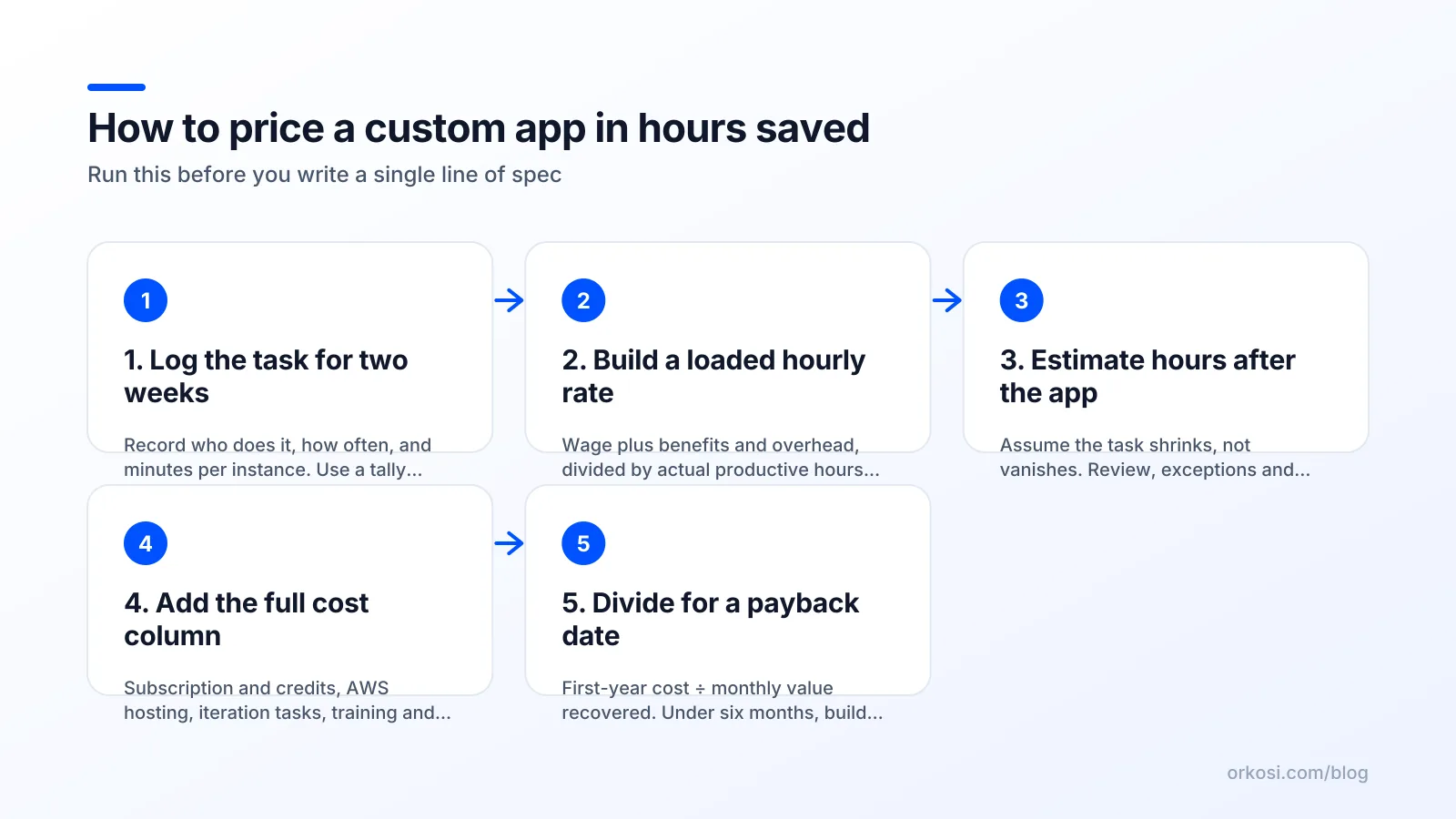
Step three: subtract the real cost of building and running it
Small business app ROI falls apart when owners compare a generous benefit estimate against a build quote and nothing else. The cost column has four lines, not one.
Build cost with AI agents vs quoted dev work
This is the line that has genuinely changed. Traditional custom software cost for a small business, meaning an agency or contract developer scoping an internal tool, has historically started in the five figures and taken two to four months. That is why most small firms never built anything and lived with the spreadsheet.
Agent-built software changes the shape of that cost. On Orkosi, you describe the product, agents write and deploy it, and you pay a monthly subscription plus credits for agent work, where 1 credit equals $0.01. Starter is $25 a month and Pro is $100 a month, with credit allowances attached; see Orkosi pricing for current allowances and what sits in each tier. The honest trade-off: you give up a fixed quote and a named account manager for a cheaper, faster, more iterative process where you own the direction and the review.
If you want a sense of what fits this model, what you can build with Orkosi and how Orkosi compares with other builders are better starting points than a sales call.
The running line: hosting, iteration, support
Build cost collapsing does not mean running cost disappears. Three things persist:
- Hosting. Orkosi includes hosting in the subscription. If you deploy into your own AWS account instead, use the AWS Pricing Calculator to estimate the monthly line, and model it at post-free-tier rates. The AWS Free Tier makes month one look almost free, which is exactly how people end up with a cost surprise in month thirteen.
- Iteration. Real tools change. Budget for ongoing agent tasks every month, not a one-time build.
- Support. Somebody has to answer "it won't let me save this." If that somebody is you, price your own hour too.
Costs owners forget: training, cutover, data cleanup
Three more lines, all paid in staff hours at the loaded rate you just calculated:
| Hidden cost | Typical size | Priced at $36/hr |
|---|---|---|
| Training the user | 4 to 10 hours | $144 to $360 |
| Running old and new in parallel | 6 to 15 hours | $216 to $540 |
| Cleaning the data you import | 5 to 20 hours | $180 to $720 |
Data cleanup is the one that bites. Agents will build around whatever structure you give them, but nobody can make a spreadsheet with three different spellings of the same supplier behave.
Step four: set a payback date and hold yourself to it
Payback period = total first-year cost ÷ monthly value recovered.
Continuing the example, assume Pro at $100 a month for the year ($1,200), plus roughly 20 hours of training, parallel running and data work at $36 (about $720). Total first-year cost is approximately $1,920. Against $734 a month of recovered value, payback lands at 2.6 months.
Why 90 days is the right bar for a small business
Three months matches your real forecasting horizon. Beyond 90 days, your assumptions about volume, staffing and the tool you are replacing stop being reliable, so a longer payback is a bet on a future you cannot see.
Three to six months is an acceptable band for an internal tool. Past six months, you are no longer making an efficiency decision, you are making a strategy decision, and it deserves a different conversation.
What to do if the payback is 18 months
A long payback almost always means one of two things.
You scoped the wrong thing. You chose the task that annoys you rather than the task with the most minutes. Go back to the log and pick the top row.
You should buy, not build. This is the honest core of build vs buy small business software. If an off-the-shelf product covers 80% of the workflow for $40 a month, the custom build has to justify itself on the remaining 20%, and it usually cannot. Build custom when your process is genuinely your differentiator, when off-the-shelf options force you to change how you sell or deliver, or when you need two systems joined that nobody sells joined.
Where the hours-saved test works, and where it lies to you
Three jobs it nails: rekeying, chasing, looking up
Hours-saved math is close to exact for back-office drudgery. The task is repeated, the duration is stable, the output is verifiable, and the before-and-after comparison is trivial. If you want to automate manual work in a small business and you are starting with re-keying, chasing or looking up, the calculation above will be accurate within about 20%.
Two jobs it gets wrong: revenue bets and capacity ceilings
Customer-facing products. If you are building an online store or a booking site, the value is new revenue, not recovered hours, and the hours-saved test will tell you not to build it. Use revenue per launch month instead: what does a month of delay cost in orders you did not take?
Capacity ceilings. Sometimes the win is not that a task takes less time, it is that you can take on more jobs without hiring. Measure jobs per week before and after. A tool that lets a two-person firm handle 14 installs a week instead of 11 is worth far more than the 90 minutes of admin it saved.
Costs that aren't hours: errors, churn, owner attention
Look again at the correction-rate column. An error that reaches a customer costs the rework hours plus the credit note plus some probability of losing the account. Price it per incident: rework time at the loaded rate, plus the margin on the goodwill discount, plus a conservative churn estimate.
Owner attention is the last unpriced cost. If the task sits with you, the comparison is not your hourly rate, it is the value of the selling or hiring you are not doing instead.
The 30-day test: build the smallest slice that moves the number
Pick one task, not one department
Take the single highest-minutes row from your log and build only that. In the example, that is invoice re-keying at 240 minutes a week, not "an operations system."
One task means one screen, one data source and one user. It also means that if it fails, you have lost a month and a subscription, not a quarter and a five-figure contract. Orkosi's docs walk through how a first build is scoped as a task and iterated, which is the right shape for this experiment.

Measure the same way after launch
Re-run the identical tally sheet in week four, with the same person and the same columns. Do not redesign the measurement, because a changed measurement cannot be compared.
Compare minutes per week and correction rate side by side. Expect the first week after launch to be worse than before: that is the learning curve, not the result.
When to kill it
Decide the kill criteria before you start, and write them down:
- The logged minutes for the target task have not dropped by at least 40% by day 30.
- The intended user has stopped opening it and gone back to the spreadsheet.
- Two consecutive iteration cycles produced no measurable change in the number.
- Total cost to date has already exceeded three months of projected recovered value.
Hitting any of these is not a failure, it is the test working. Thirty days and a month of subscription is a cheap way to learn that the bottleneck was somewhere else.
FAQ
How much does a custom app for a small business cost in 2026?
It depends entirely on who builds it. Agency and contract development for a small internal tool has traditionally started in the five figures with a two to four month timeline. Agent-built platforms price as a subscription plus usage instead: on Orkosi, plans start at $25 a month for Starter and $100 a month for Pro, with credits for agent work at 1 credit = $0.01. See Orkosi pricing for current allowances, and add your own lines for training, data cleanup and ongoing iteration.
How do I calculate ROI on an internal tool?
Log the target task for two weeks (minutes per instance × instances per week). Multiply the hours recovered by a loaded hourly rate, which is wage divided by 0.70 to add benefits per BLS ECEC data, then divided by actual working hours rather than paid hours. Discount the result to 70% capture. Divide total first-year cost by the monthly value recovered to get payback in months. Under six months, proceed. Over twelve, rescope or buy.
Should I buy off-the-shelf software instead of building custom?
Usually yes, if a product covers 80% of your workflow at a price you can absorb. Build custom when your process is the thing customers pay you for, when off-the-shelf tools force you to change how you sell or deliver, or when the real need is joining two systems nobody sells joined. The cost gap between build and buy has narrowed considerably with agent-built software, but the maintenance gap has not: you own what you build.
What if my staff won't actually use the time they save?
This is the most common reason ROI models miss, and it is a management problem, not a software problem. Five recovered hours a week only become value if they get reassigned to something specific: more quotes sent, more follow-up calls, a job you previously turned down. Decide before launch what the freed time is for, name it, and measure that output too. If you cannot name the replacement work, the saving is real but the return is not.
Pick your highest-minutes task, run the two-week tally, and start a free build to see whether the number moves inside 30 days. Check pricing first so your cost column is real before you commit.