How to Build a SaaS Product in 2026 Without Writing Code
Orkosi Team · · 9 min read
You can build a SaaS product without code in 2026, and not in the "drag a few blocks together and hope" sense that the phrase used to imply. The tooling has split into two serious camps: visual no-code builders that have matured for a decade, and AI agents that write, deploy and maintain real software from a written description. Both produce products that customers pay for. Both also have failure modes that nobody advertises. This guide walks through the full path, from idea to a paying customer, and is honest about where each approach breaks.

What "without code" means now
Ten years ago, "no-code" meant a form builder wired to a spreadsheet. Today the term covers three quite different things, and picking the wrong one is the most common early mistake.
Visual builders (Bubble, Softr, Glide, Webflow with Memberstack) let you assemble screens and logic in a browser. You never see code, but you are still doing the engineering: data models, permissions, workflows. The learning curve is real, and you rent the runtime forever.
AI agent platforms take a written product description and produce actual code: a database schema, an API, a frontend, deployment configuration. You review outcomes, not syntax. The code is yours, runs on standard cloud infrastructure, and can be handed to a human developer later. Orkosi works this way, as do a growing number of tools. The trade-off is that you are trusting an agent's judgement on architecture, so you need to be precise about what you want.
Hybrid approaches use a template as the starting point (a SaaS shell with authentication, billing and an admin panel already wired) and then customise it with prompts or a builder. This is often the fastest route to a first paying customer, because 70 percent of any SaaS is the same 70 percent.
The question to ask before choosing
Ask yourself: "If this works, do I want to own the code?" If the answer is yes, visual builders are a dead end you will eventually migrate off, and migrations are expensive. If you want a quick internal tool or a validation experiment that might die in three months, a visual builder is fine and probably cheaper.
Step 1: Write the product brief before you open any tool
Every failed no-code SaaS we have seen shared one trait: the founder started building on day one. The tools make it easy to produce screens, so producing screens feels like progress. It is not.
Write a one-page brief with five sections:
- Who pays and why. One sentence per persona. "Independent physiotherapists who lose 20 percent of bookings to no-shows" is a brief. "Healthcare professionals" is not.
- The one job. What the product does on day one. Not the roadmap. The one workflow a customer would pay $29 a month for.
- Data. List the nouns: customers, appointments, invoices, staff. For each, note the fields that matter. This becomes the schema whether a human or an agent builds it.
- Money. How billing works: per seat, per usage, flat monthly. Decide before building, because it shapes the data model.
- Not in v1. An explicit list of things you refuse to build yet. Mobile app, integrations, multi-language, team roles. Write them down so you stop thinking about them.
This brief is the single most valuable artefact in the whole process. If you use an AI agent platform, it is literally the input. If you use a visual builder, it is your spec. If you later hire a developer, it is the job description.
Step 2: Pick the build path that matches your constraints
Here is how the three paths compare on the dimensions that matter for a founder with limited money and no engineering team.
| Dimension | Visual builder | AI agent platform | Freelance developer |
|---|---|---|---|
| Time to first working version | 2 to 6 weeks | Days to 2 weeks | 6 to 12 weeks |
| Upfront cost | $0 to $200 | $0 to $150 per month | $8,000 to $40,000 |
| Own the code | No | Yes | Yes |
| Hosting | Included, vendor-locked | Standard cloud (AWS) | You arrange it |
| Ongoing changes | You, in the builder | Describe a task, agent ships it | Pay per change |
| Performance ceiling | Vendor-defined | Same as hand-written code | Same as hand-written code |
| Biggest risk | Migration later | Imprecise briefs, agent errors | Budget overrun, handover |
A few honest notes on the AI agent column. Agents are very good at the repeated 70 percent (authentication, CRUD screens, billing, admin panels) and steadily improving on the unusual 30 percent. They are not magic: an ambiguous brief produces a confidently wrong product. Budget time for reviewing what was built, testing it as a customer would, and sending correction tasks. On Orkosi that loop is the core workflow: describe, review, task, repeat. Other agent platforms have their own version of it.
Step 3: Get the boring parts right
Founders obsess over the features that make their product different and neglect the parts that make it a business. Those parts are where non-technical builders get hurt, so here is what to demand from whatever tool you choose.
Authentication and accounts
You need email and password sign-up, password reset, session handling and, ideally, magic links or social login. You also need a clear notion of a "workspace" or "team" if more than one person from a company will log in. Get this wrong and you will rebuild the data model later. Any decent template or agent platform includes this; verify it exists before you pay.
Billing
Use Stripe. This is not a controversial opinion. Stripe's own Atlas guides are worth reading even if you never incorporate through Atlas, because they explain subscriptions, taxes and dunning in founder language. Your product needs plans, a checkout, a customer portal for card updates and cancellations, and webhooks so that a failed payment actually downgrades the account. The last one is what most no-code setups skip.
Hosting and deployment
This is the part that separates "demo" from "product". For a real SaaS you want:
- A managed container or serverless runtime so you never SSH into a server. AWS App Runner is a good example; its pricing page shows the model: pay for vCPU and memory while active, a small provisioned fee while idle.
- A managed database with automated backups. RDS Postgres on a small instance costs around $15 a month.
- HTTPS by default, a custom domain, and a CDN in front of static assets.
- Logs you can actually read when something breaks.
If your platform handles this for you, check what happens when you leave. Agent platforms that deploy to standard AWS infrastructure are far easier to walk away from than visual builders where the runtime is the product.
Performance and SEO basics
Your marketing site and your app's public pages should pass Google's Core Web Vitals. This matters more for a no-code founder than for a funded startup, because organic search is often the only acquisition channel you can afford. Ask for server-rendered public pages, compressed images and a sitemap. If the tool cannot deliver these, you will pay for it in ad spend.
Step 4: Launch thin, then iterate through tasks
The first version should be embarrassing in scope and solid in execution. One workflow, one plan, one payment path, working sign-up. Launch to ten people you have already spoken to.
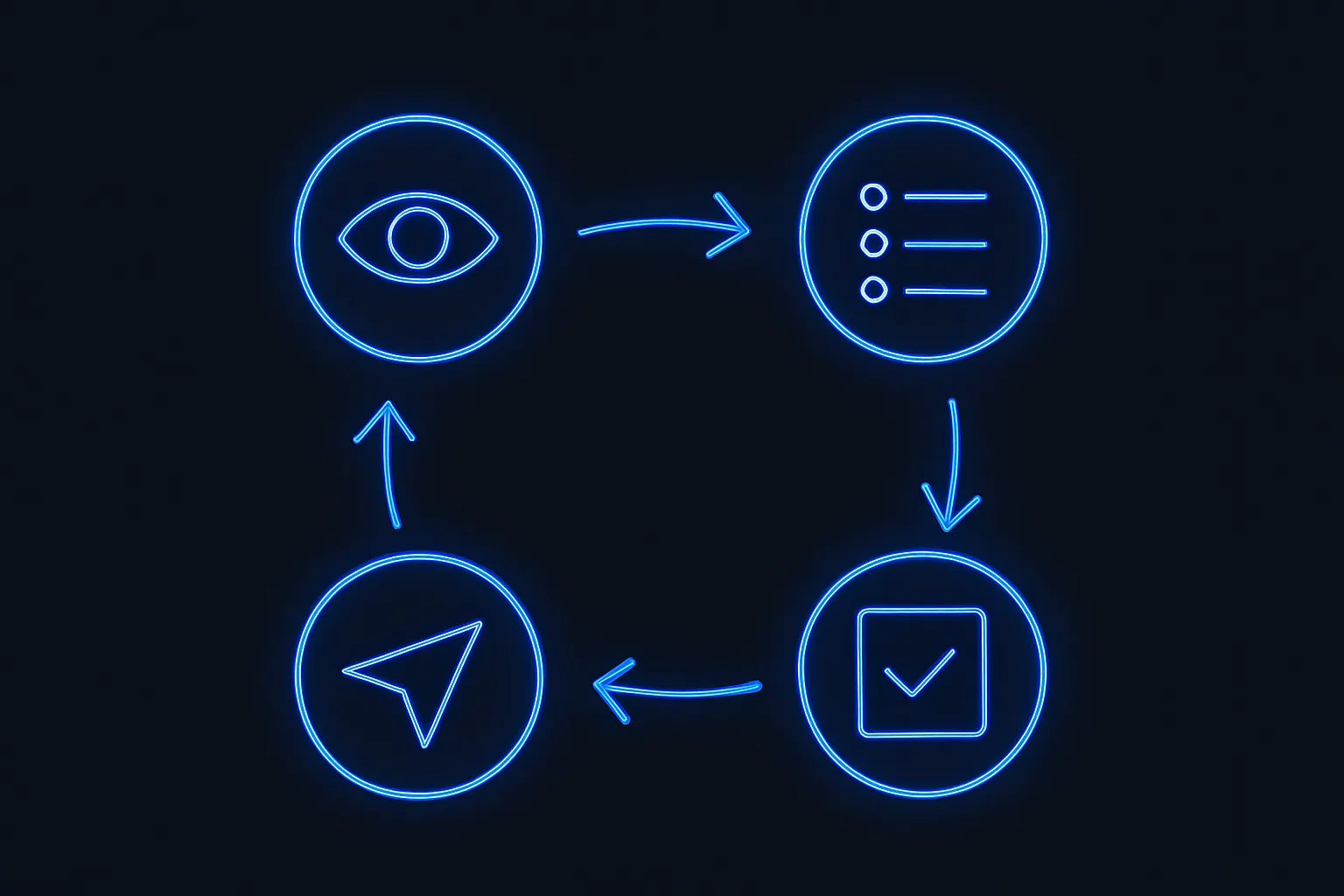
Then run a weekly loop:
- Watch what customers actually do, not what they say.
- Write down the three most painful gaps.
- Turn each into a task with a clear acceptance criterion: "A user can export invoices as CSV from the Billing page."
- Ship, verify, repeat.
On an agent platform each task consumes credits; Orkosi's pricing page lists 290 credits a month on the $29 Launch plan, which at $0.10 a credit is roughly the cost of a couple of coffees a week for ongoing changes. On a visual builder the cost is your evenings. With a freelancer it is an invoice per change. Whichever you choose, the discipline of small, testable tasks is what keeps the product coherent.
What it costs: a worked example
Take the physiotherapy booking product from the brief above. Here is a realistic first six months on each path.
Visual builder. Builder plan $32 to $119 a month, a booking plugin $15, an email service $20. Roughly $70 to $150 a month, plus 80 to 150 hours of your time to build and learn. Six-month cost: $400 to $900 plus your time. Exit cost if you outgrow it: a full rebuild.
AI agent platform. Platform subscription $29 to $149 a month depending on how many changes you push, plus AWS hosting of roughly $40 to $80 a month for a small App Runner service, an RDS micro instance, S3 and CloudFront. The AWS Free Tier covers some of this in year one. Six-month cost: $400 to $1,400, and you own the code.
Freelance developer. $12,000 to $25,000 for the build, $40 to $80 a month hosting, then $100 to $150 an hour for changes. Six-month cost: $13,000 to $30,000. You own everything, and you depend on one person's availability.
The numbers are not the whole story. The visual builder is cheapest in cash and most expensive in founder hours. The freelancer is the safest bet for unusual products and the worst for iteration speed. The agent platform sits between them, with the specific risk that you must learn to write good briefs and review work critically.
Trade-offs nobody puts on the landing page
You still need product judgement. No tool decides what to build. Bad products ship faster now; that is all.
Agents make confident mistakes. A generated feature can look finished and be subtly wrong: a permission check missing, a timezone bug in bookings. Test as a customer, not as a founder admiring the UI.
Templates constrain you. Starting from a SaaS or shop template is the fastest route to a working product, and it will nudge your product toward the template's assumptions. Decide early which assumptions you accept.
Vendor risk is real on every path. Visual builders can change pricing overnight. Agent platforms are young companies. Freelancers get busy. Mitigate by owning your code, your domain, your Stripe account and your customer data. Those four things make you portable.
Mistakes first-time founders make
- Building the admin dashboard before the customer workflow.
- Adding team roles, integrations and a mobile app to v1.
- Choosing a tool because a YouTube demo looked easy, without checking billing webhooks, backups or data export.
- Skipping the brief and "figuring it out in the builder."
- Launching to strangers before launching to ten known people.
- Ignoring the marketing site. The app is not a product until someone finds it.
If you avoid these six, you are ahead of most technical founders too.
FAQ
Can a non-technical founder really build a SaaS product without code in 2026?
Yes, and people do it every week. The realistic expectation is a focused product that solves one problem well, launched within weeks, then improved through small iterations. The parts that still need judgement are the brief, pricing and talking to customers, none of which a tool can do for you.
Is an AI-built product safe to run real customer data on?
It can be, provided the platform deploys to standard, well-understood infrastructure with HTTPS, managed database backups and proper secret handling. Ask any vendor where the code runs, who owns the cloud account and how you export data. Treat vague answers as a no.
What should my first version include?
Sign-up, one core workflow, one paid plan with Stripe checkout, and a simple public page that explains the product. Everything else is a task for week two. Orkosi's feature list and the equivalent pages from other platforms are useful as a checklist of what the boring 70 percent should contain.
How much should I budget for the first six months?
For a solo founder on an AI agent platform or visual builder, plan for $400 to $1,500 in tooling and hosting, plus your time. If you hire a developer, plan for $13,000 or more. In every case, spend more on talking to customers than on tools.
Ready to test the idea in your brief? You can start on the free Trial and see what an agent builds from your description, then compare plans on the pricing page once you know how often you want to ship changes.